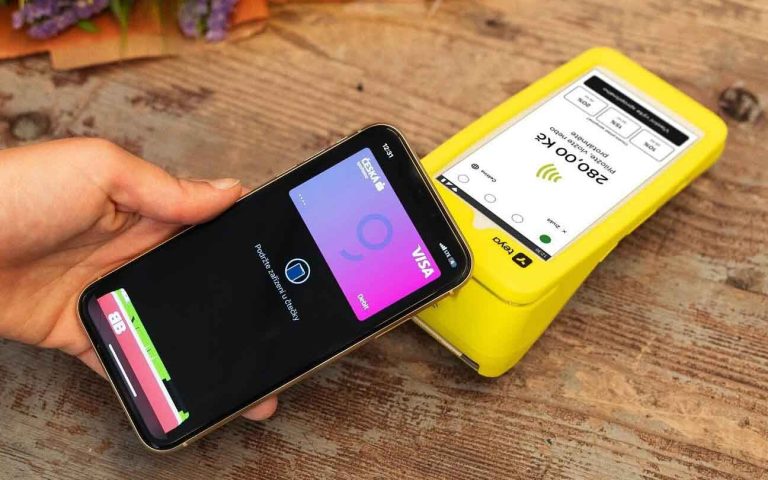
Do you run a restaurant, café, retail store, or other business that serves international customers? Would you like to accept cash payments in foreign currencies without changing your primary accounting currency? Elementary POS now makes it easy!
With the latest update, you can accept cash payments in multiple currencies while keeping your account and product prices in your base currency. For example, a business operating in GBP can accept EUR cash payments, while a business using USD can accept CAD, EUR, or other currencies. The feature works with any supported currency combination.
Set Up Foreign Currencies and Exchange Rates
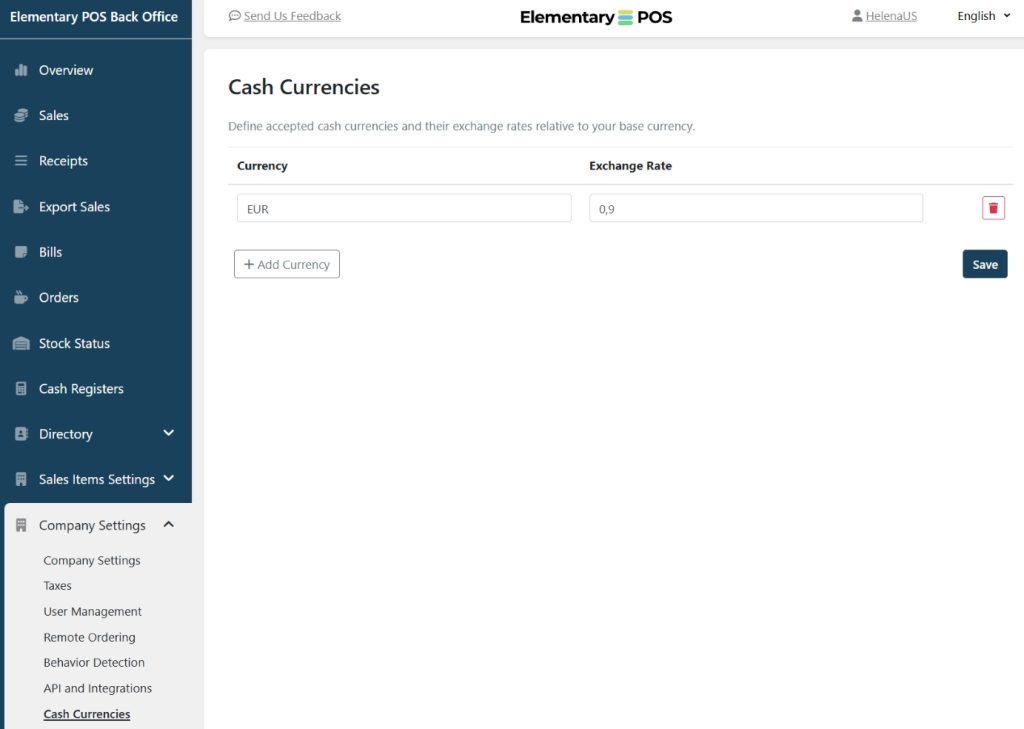
Foreign currencies can be configured easily in the Elementary POS Back Office. Simply go to Company Settings – Cash Currencies.
Here, you can choose which currencies you would like to accept and define an exchange rate for each one. These exchange rates are then used to calculate payment amounts and display converted totals during the checkout process.
Payments and Receipts
Products and services can be added to a sale exactly as usual, using prices in your base currency.
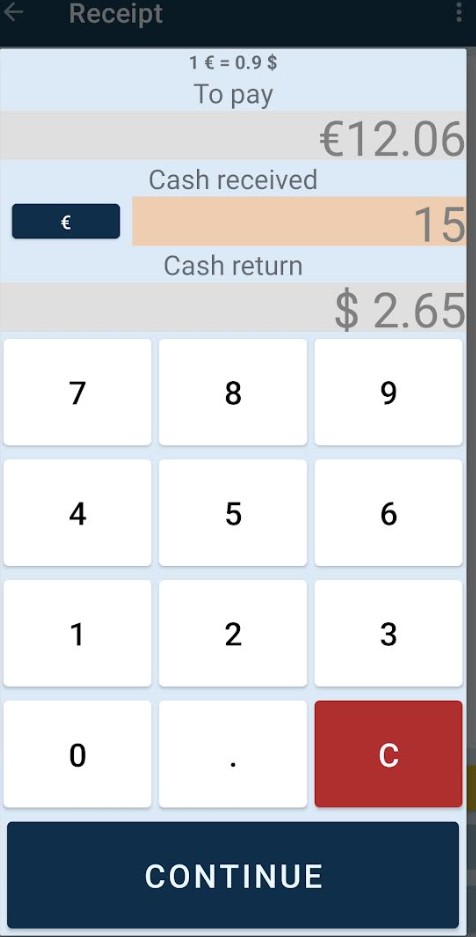
The payment currency is selected only when confirming a cash payment. On the cash return screen, the amount due is initially displayed in your base currency. By switching to another currency, such as EUR, the amount is automatically converted using the exchange rate you have configured.
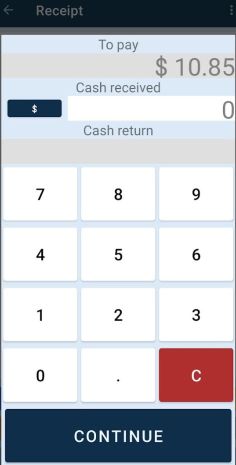
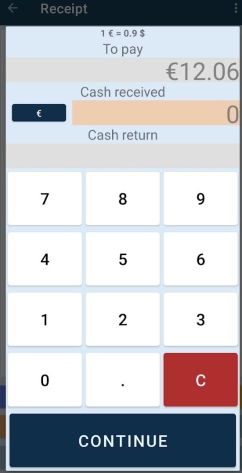
To display the change screen, please make sure that Skip cash return dialog is disabled in Settings – Payment Methods settings within the Elementary POS app.
When processing a cash payment, tap the Cash button once to select the payment method and a second time to open the change screen.
If a customer pays in a foreign currency, simply enter the amount received. The application will automatically calculate and display the change due in your base currency according to the configured exchange rate.
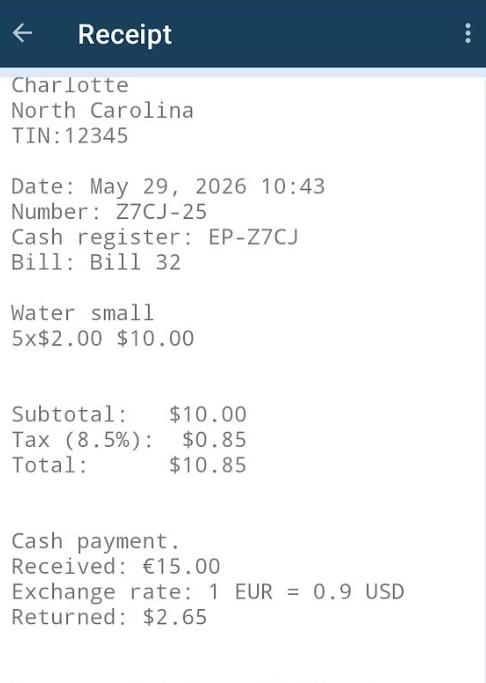
Receipts include all relevant payment details, including:
- Amount due in the base currency
- Amount received in the foreign currency
- Exchange rate used for the conversion
- Change returned in the base currency (if applicable)
The same information is also available in the PDF version of the receipt stored in the Elementary POS Back Office.
Cash Journal
Once additional currencies have been enabled, the Cash Register Journal displays a currency switch below the current cash balance. This allows you to view cash movements and balances separately for each currency, making it easy to track the amount of cash currently held in your register.
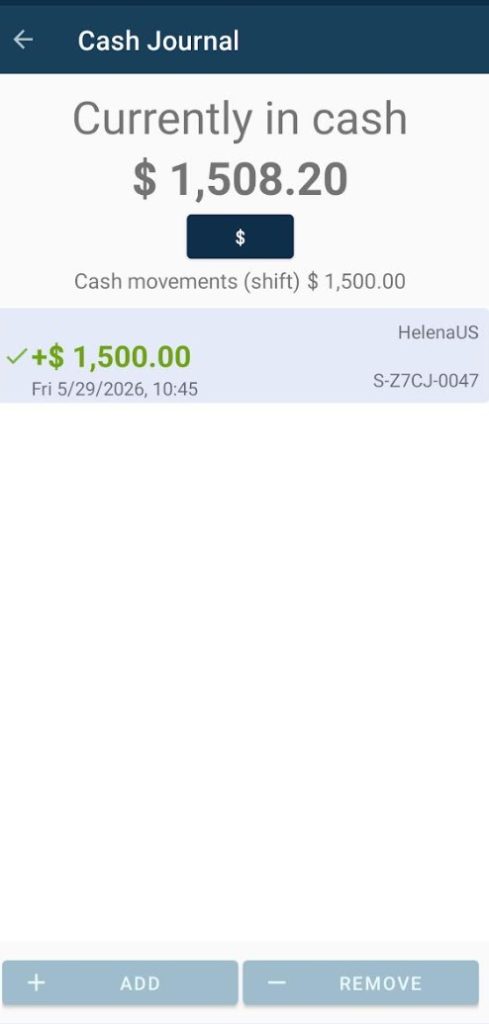
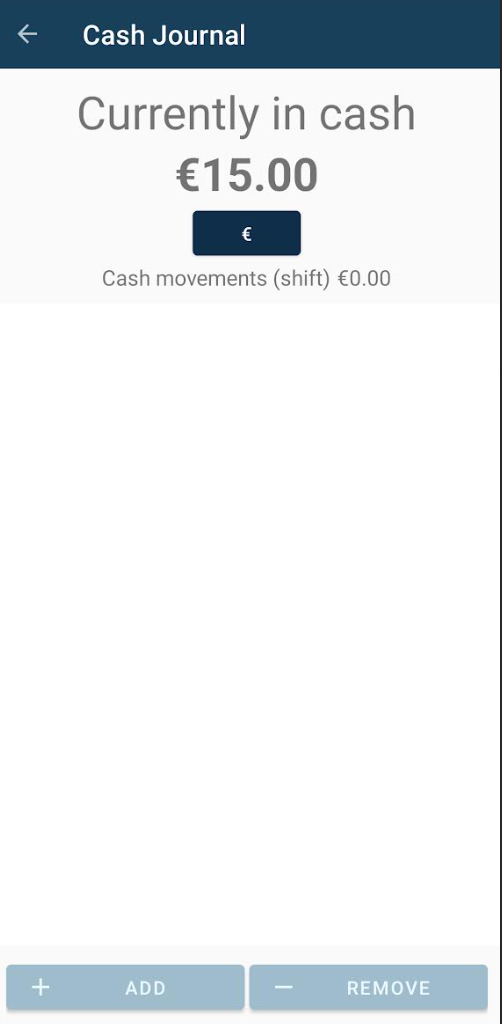
For example, if a customer pays with a large EUR banknote and receives change in your base currency, both cash movements are recorded automatically:
- The full amount received is recorded in the EUR cash journal.
- The change returned is deducted from the cash journal of your base currency.
As a result, cash balances remain accurate and transparent across all currencies.
We hope this new feature makes it easier to serve international customers and manage cash payments in different currencies. Multi currency cash payments are available now in the latest version of the Elementary POS app and the Elementary POS Back Office.
If you do not see this option yet, please update your application to the latest version.