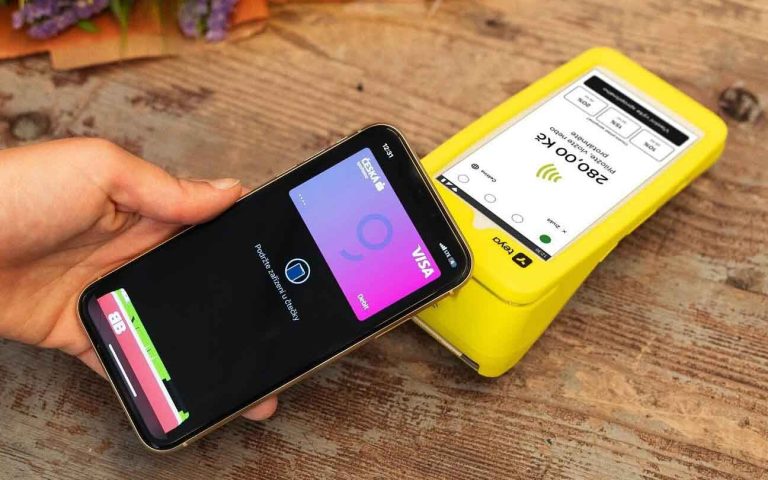

Stay connected to your business wherever you are with our new mobile app – Elementary POS Office! Monitor your business directly from your smartphone in real time, whether you’re across town or on the other side of the world. All you need is your phone and an internet connection.
Elementary POS Office is the mobile version of the Elementary POS Back Office web application. It is available free of charge as part of Elementary POS for both Android smartphones and iPhone (iOS) devices.
The app gives you instant access to sales reports, revenue, cash register status, stock, and much more – everything you need to keep your business under control.
Installation and Sign In
You can download Elementary POS Office from Google Play (for Android devices) or the Apple App Store (for iPhone).
Sign in using the same credentials you use for the Elementary POS Back Office. To access all features, log in with a Manager account (administrator with full permissions). If needed, you can also adjust user permissions to allow other users to access the available reports.
Sales Overview
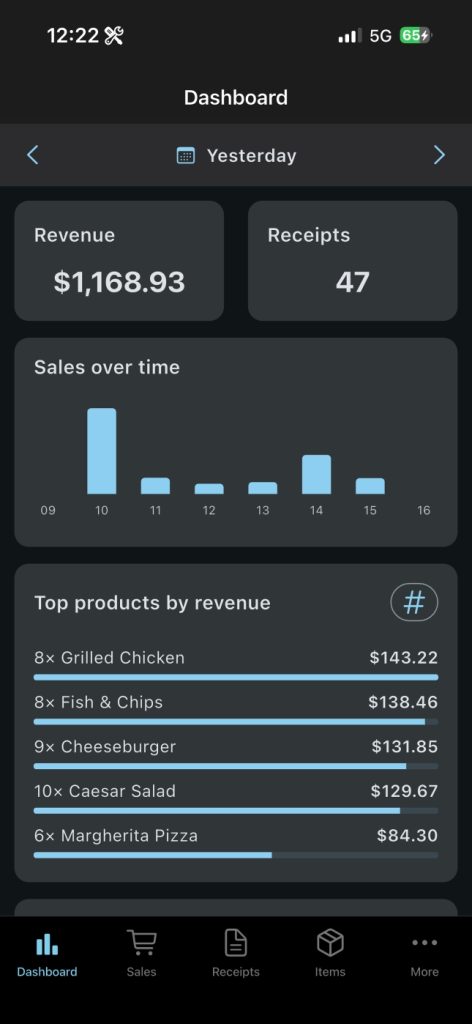
After signing in, you’ll see the Dashboard, where you can select the time period you want to analyze (for example, today) and instantly view detailed sales statistics, including:
- Revenue – total revenue for the selected period
- Receipts – total number of receipts issued
- Sales over Time – hourly sales displayed in an easy-to-read chart
- Top products by revenue or quantity – switch between your best-selling products by revenue or by units sold
- Payment types – breakdown of payments by type (cash, card, bank transfer, etc.)
- Current cash on hand – the current cash amount available across your cash registers
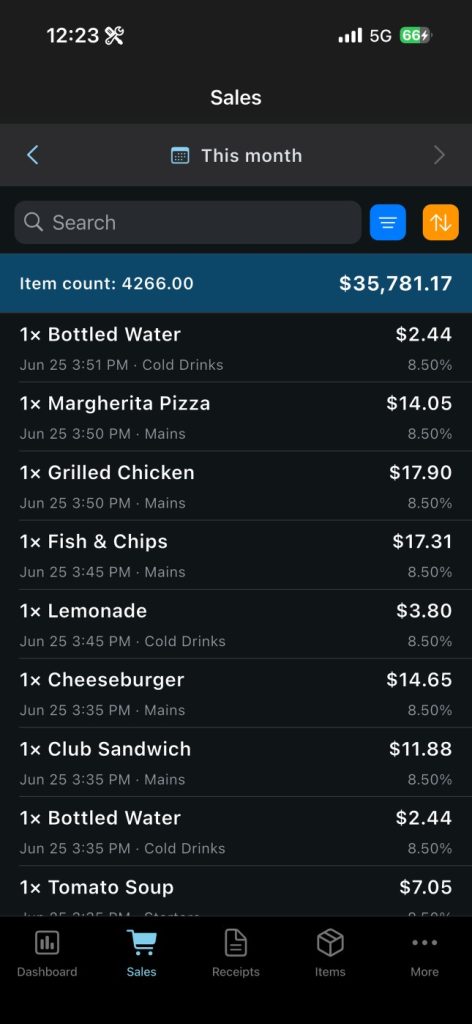
In the Sales tab, you can browse individual sales records. Select any date range and filter or sort sales by various criteria, such as category, price, employee, or date. You can also quickly search for a specific item.
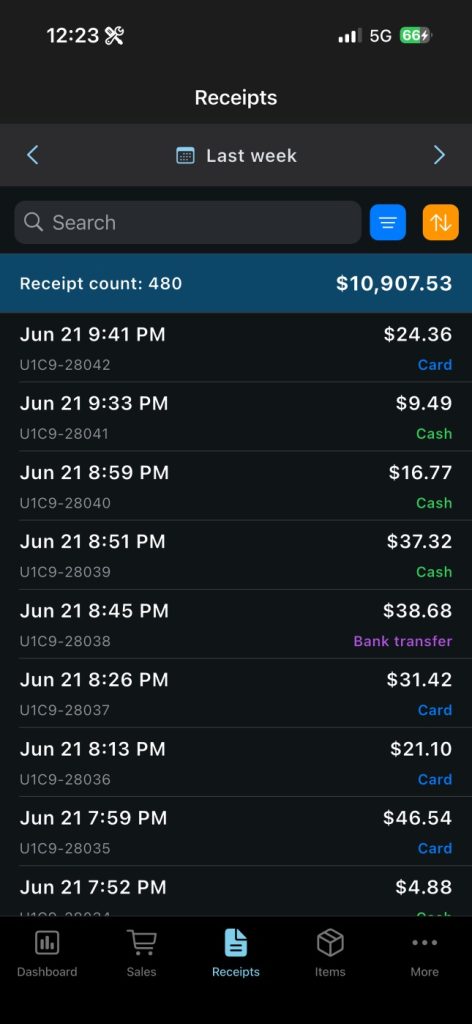
The Receipts tab displays all receipts issued during the selected period. Here you can search, filter, and sort receipts using multiple criteria to quickly find exactly what you need.
Real-Time Business Monitoring
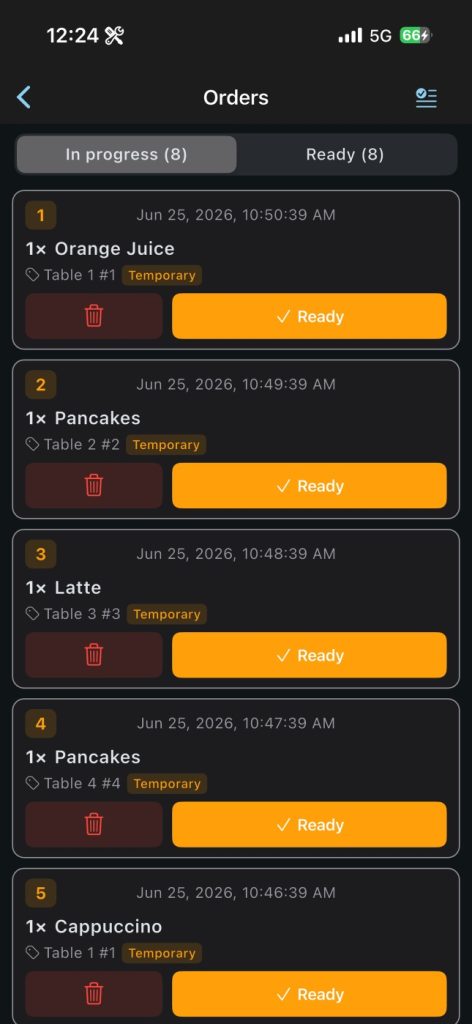
In addition to the sales reports, Elementary POS Office also includes a Live orders board, allowing you to monitor kitchen order processing in real time.
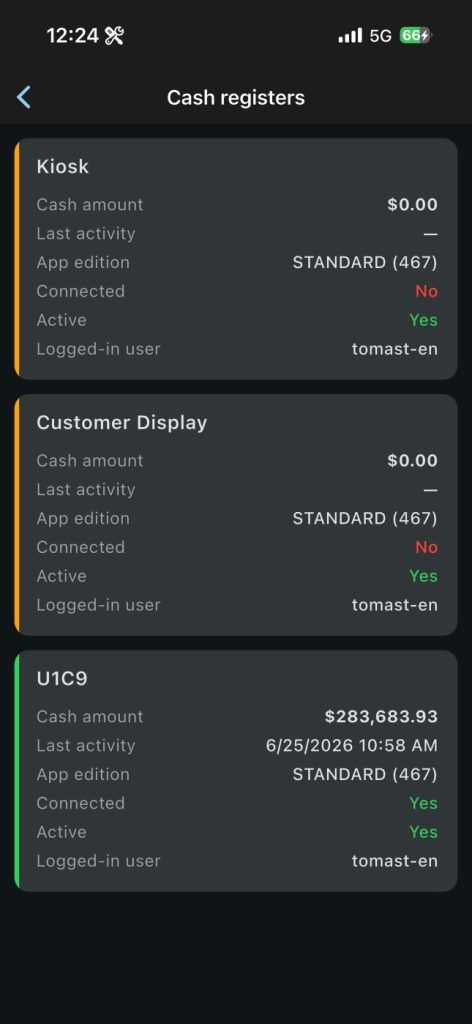
The Cash registers section provides an overview of all your devices. You can instantly see which cash registers are currently active, which employee is signed in, and the current cash balance on each register.
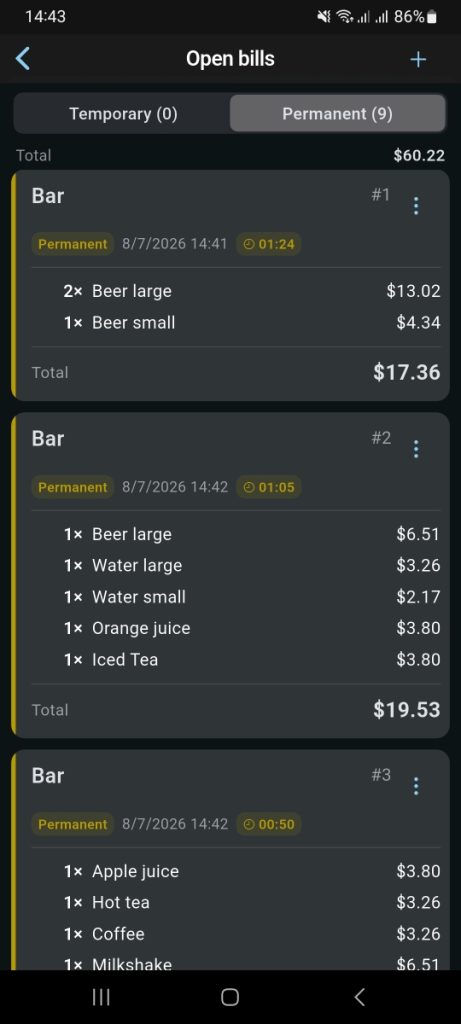
You can also review all currently open Bills to make sure no bills remain open after the end of a shift. If needed, you can even create a new permanent bill directly from the app.
These features are available in the More tab of the application.
Manage Your Sales Items
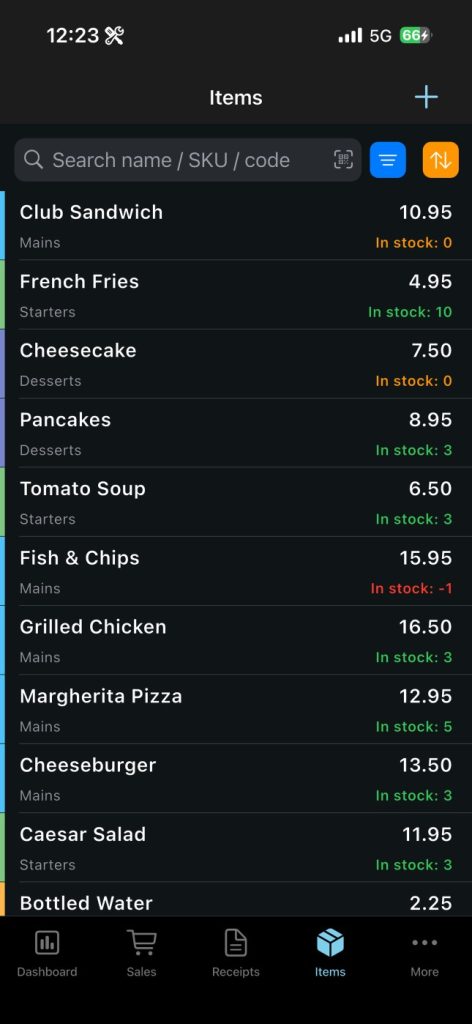
The Items section allows you to manage your products quickly and easily. For example, you can:
- Update product prices
- Temporarily disable the sale of an item
- Edit product settings
- Adjust inventory quantities
- Create new sales items
You can also search, filter, and sort your products using a wide range of criteria to find exactly what you’re looking for.
Settings
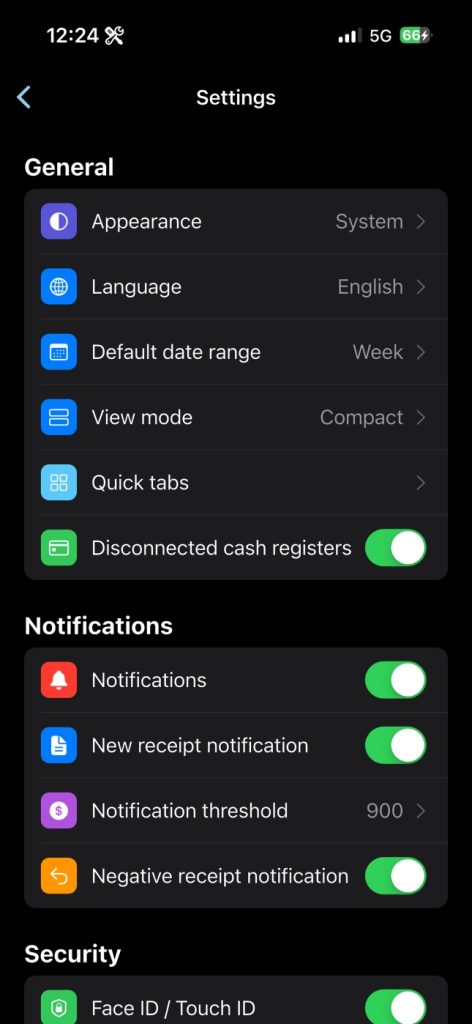
Customize the app to fit your workflow in More – Settings.
Here you can change the app’s appearance and language, as well as choose the default date range (for example, a day or a week). You can also enable push notifications to receive an alert whenever a new receipt is issued, or only when a negative receipt (refund) is created.
Stay Connected to Your Business
With Elementary POS Office, all the information you need about your business is always at your fingertips. Whether you’re in the office, at home, or traveling abroad, you can monitor your business in real time and stay in control wherever you are.
We hope this new app helps you manage your business even more efficiently and gives you complete peace of mind – anytime, anywhere.