
Every day, we work to make the Elementary POS app even better and easier to use. That’s why we’re introducing a brand-new feature: color tags for bills. With them, navigating the app becomes simpler, and you’ll find the right table in no time.
You can assign color tags to individual bills in the Elementary POS Back Office . This lets you easily distinguish, for example, indoor tables from outdoor seating or bar bills. In the app, you’ll immediately see where each bill belongs. Here’s how it works:
Setting in the Elementary POS Back Office
After signing in, open the Bills section in the menu. There you’ll see a list of your permanent bills. When you click on a specific bill, you can assign a color tag from the available options:
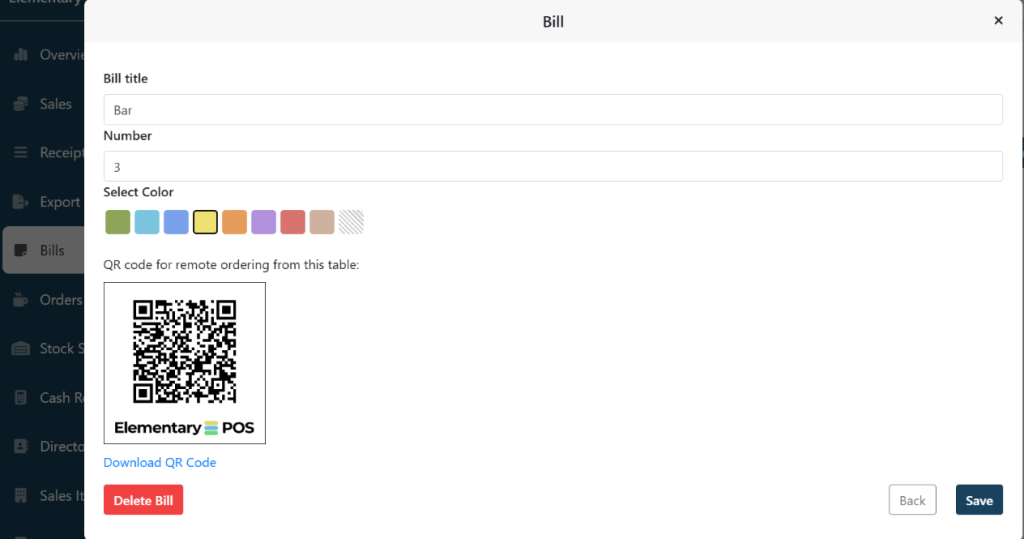
If you haven’t created permanent bills yet, you can set them up here in just a moment. You can also create a permanent bill directly in the app.
In the bill list, each bill will be displayed with its color tag, helping you quickly distinguish indoor tables, outdoor seating, the bar, or any other area of your venue.

Color tags for Bills in the App
You’ll especially appreciate the new color tags when working in day-to-day operations. As soon as you open the bill list in the app, you’ll immediately see where each bill belongs. This helps you serve customers faster and reduces the chance of accidentally adding an order to the wrong bill.
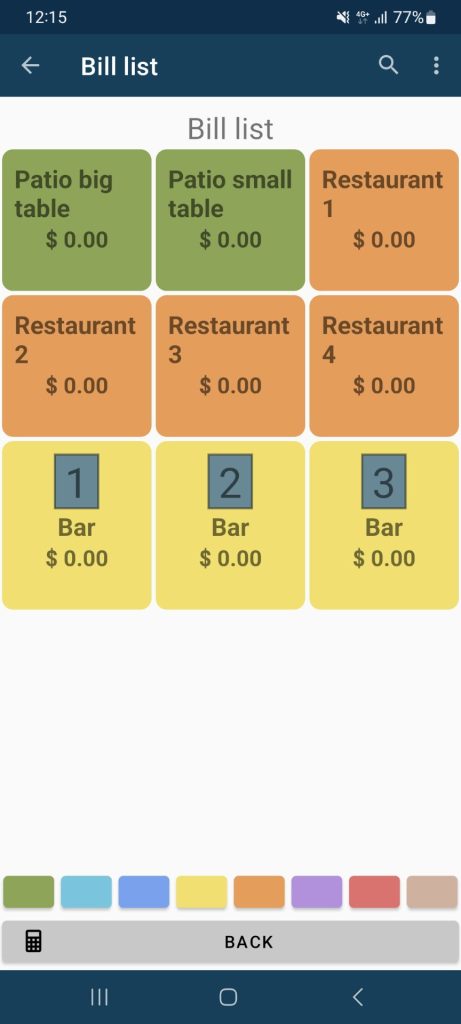
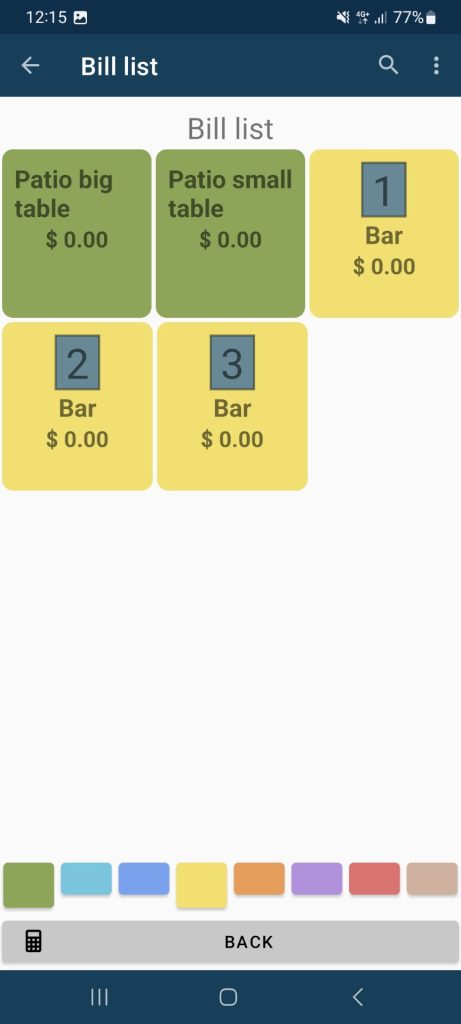
You can also filter bills by their color tags. At the bottom of the screen, simply tap to choose which tags you want to display. This allows you to view only the orders from the part of the restaurant you’re currently working in.
We believe these updates will make your everyday work with the app simpler and more pleasant. Color tags for bills are available in the app starting November 28, 2025. If your app hasn’t updated automatically, you can download the newest version for free on Google Play.