
We’ve been busy working on two new improvements to make Elementary POS even more flexible and time-saving for you and your staff. These updates improve your workflow and make everyday use even easier.
1. Add items directly to a specific bill
Have you been missing the option to add ordered items directly to a particular bill? Good news – now you can!
Until now, you first had to select the items and only then assign them to a bill. With the new update, you can start by choosing the bill – select the table, regular customer, or bill first, and then add the items directly to it. Here´s how it works:
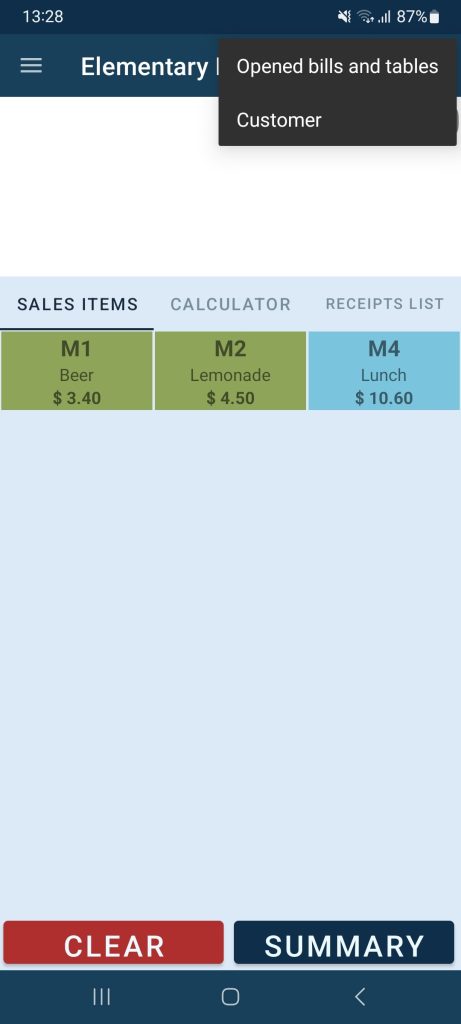
1. In Elementary POS, tap the three dots and select Opened bills and tables
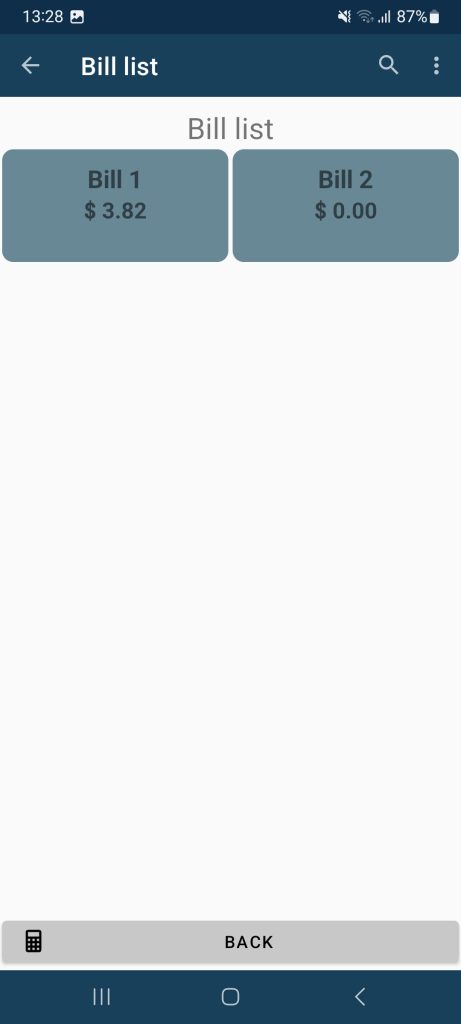
2. Choose the bill you want to add items to
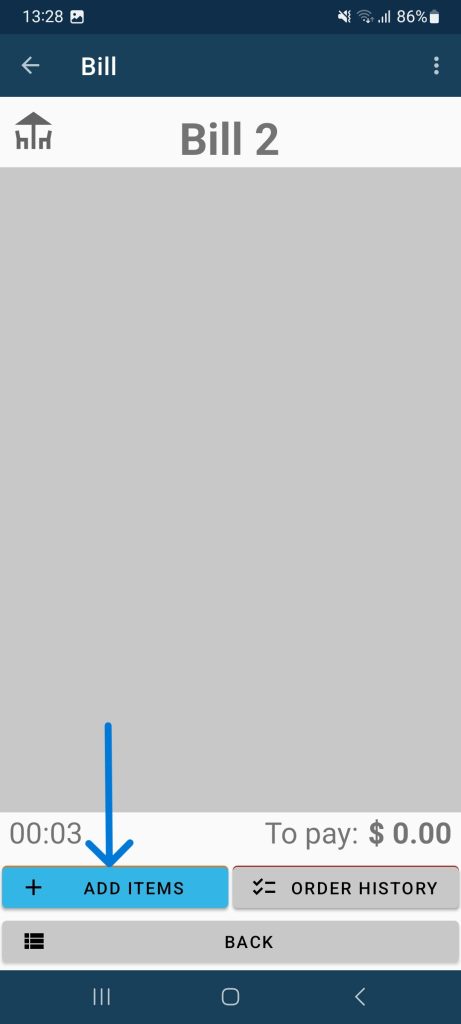
3. Tap Add items and select what the customer ordered
4. Confirm by tapping To bill
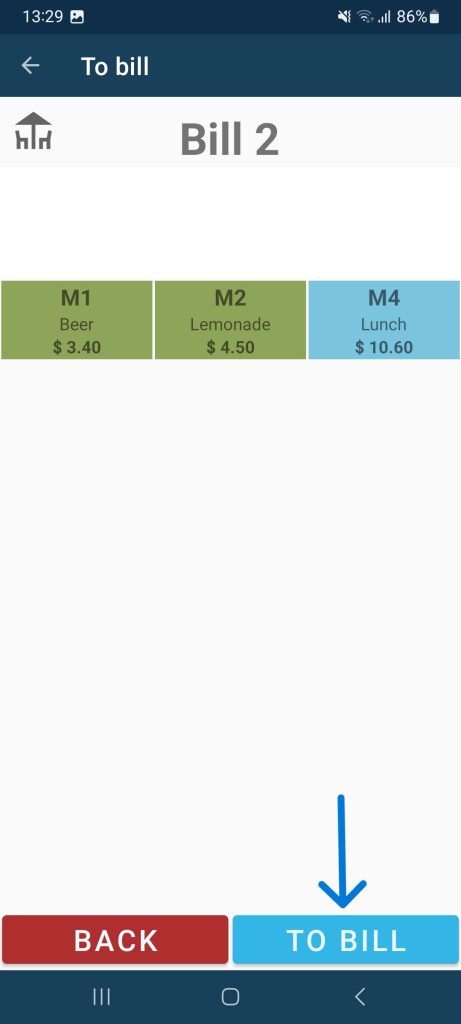
That’s it! When the customer is ready to pay, just open the bill and process the payment as usual. Each bill also comes with a complete order history.
You can also continue using the previous method — selecting items first and then creating the bill — if that’s what works best for you.
2. Payment method settings (Cash or Card)
Until now, cash was always set as the default payment method. If the customer paid by card, you had to change it manually. If most of your customers pay in cash, nothing changes – you can keep using this method as the default.
But if card payments are more common for you, you can now set card payment method as a default. You can also choose the payment methods, that will be displayed during checkout.
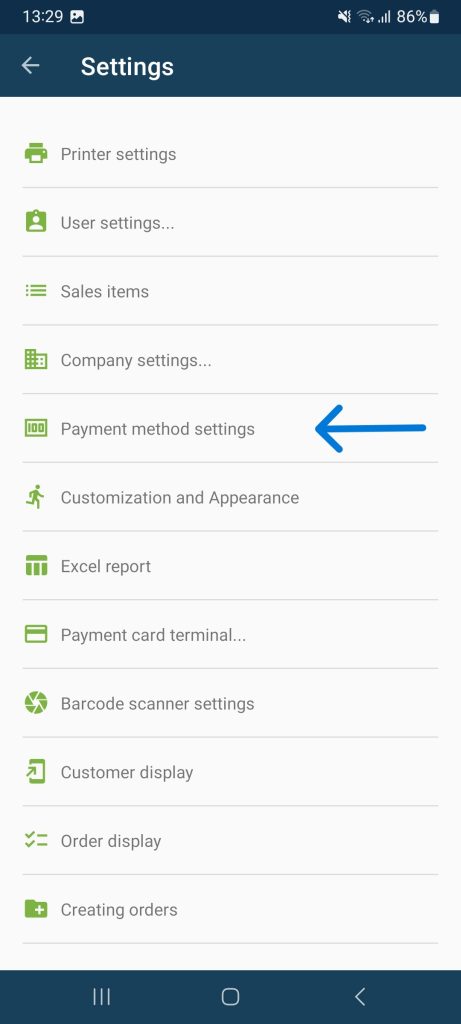
You’ll find this option in Elementary POS under Settings – Payment Method Settings:
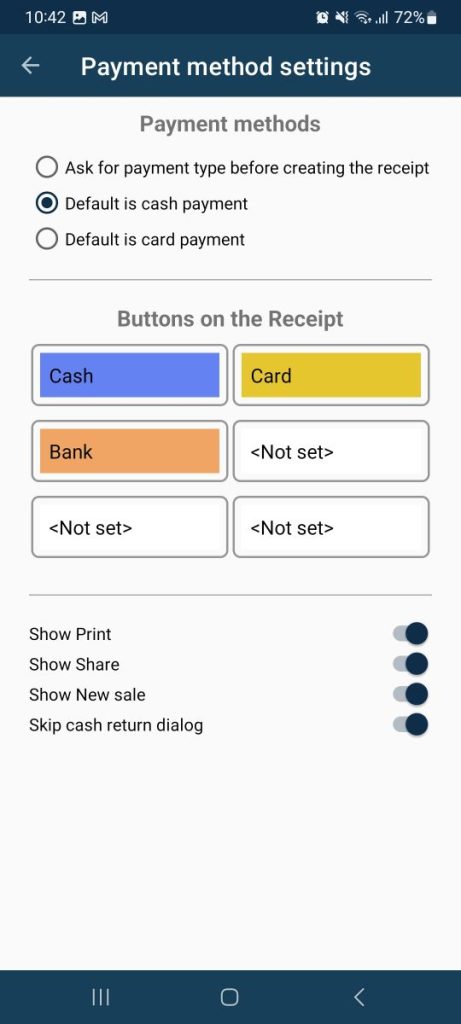
On the next screen, you can choose the payment type that will be set as the default when paying a bill.
You can also select an option that requires you to choose the payment type manually each time you make a payment.
In the Buttons on the Receipt section, you can precisely configure which payment types will be offered when paying a bill. This allows you to display only the payment methods you actually use, making the payment process clearer and more efficient. For each button, select the desired payment option from the drop-down list.
If you choose <Not set>, the button will not be displayed during payment.
We believe these new features will make your work easier and your daily experience with Elementary POS even smoother. Both updates are available starting September 4, 2025. If your app hasn’t updated automatically, you can download the latest version for free from Google Play.